Functionalities

Enjoy the collection of premium functionalities in CPMharmony

Key Functionalities

Project Document Control

Effective DMS is a key success factor for every project. storing all project documents—of any type or size—accessible from any browser or mobile device. Documents are organized in libraries with configurable permissions for viewing, editing, and deleting. 

RFIs Management

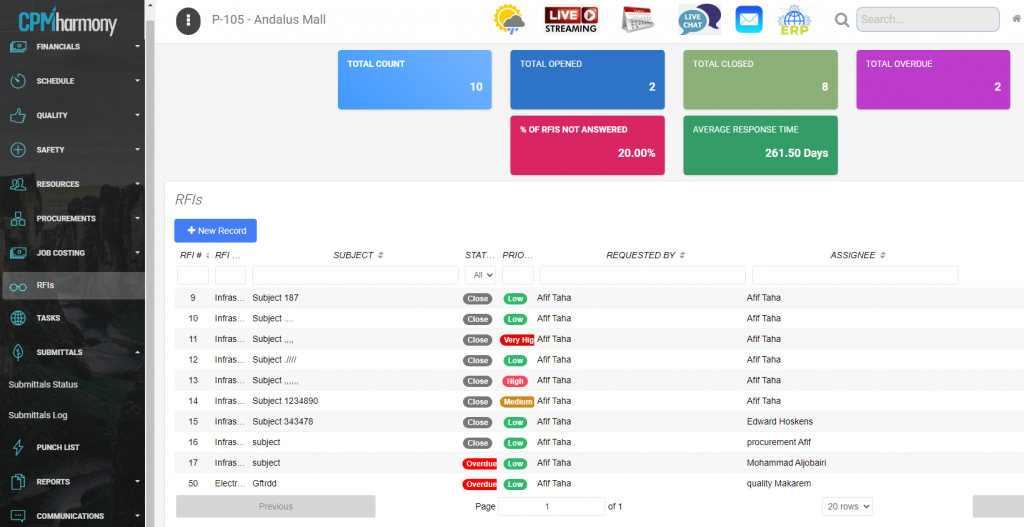
RFIs are created and shared quickly between site engineers, technical engineers, project managers, and consultants, with instant notifications to the right recipients. All RFIs are tracked with real-time alerts, and the system provides analytics on response times and overall RFI durations.

Submittals and Transmittals Status

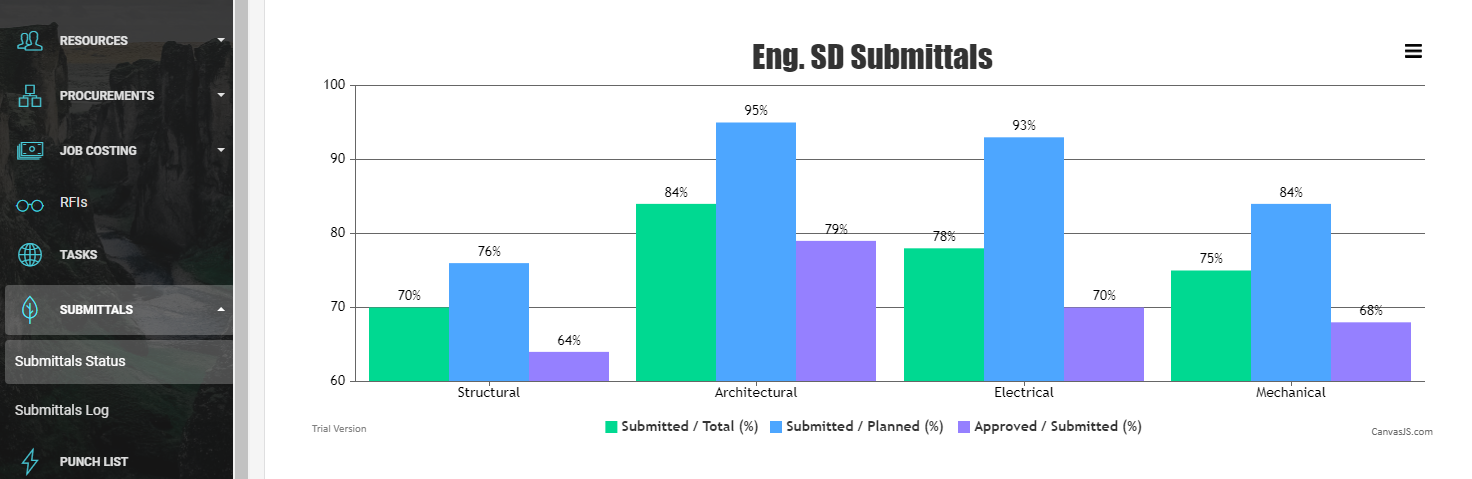
Submittals are grouped into four main categories: Structural, Architectural, Mechanical, and Electrical. Tracking them gives managers clear insight into how well contractors are meeting these critical requirements.

The system maintains detailed submittal logs and displays key performance ratios, including:

  • Submitted / Total (%)
  • Approved / Submitted (%)
  • Approved / Total (%)

Tasks Management

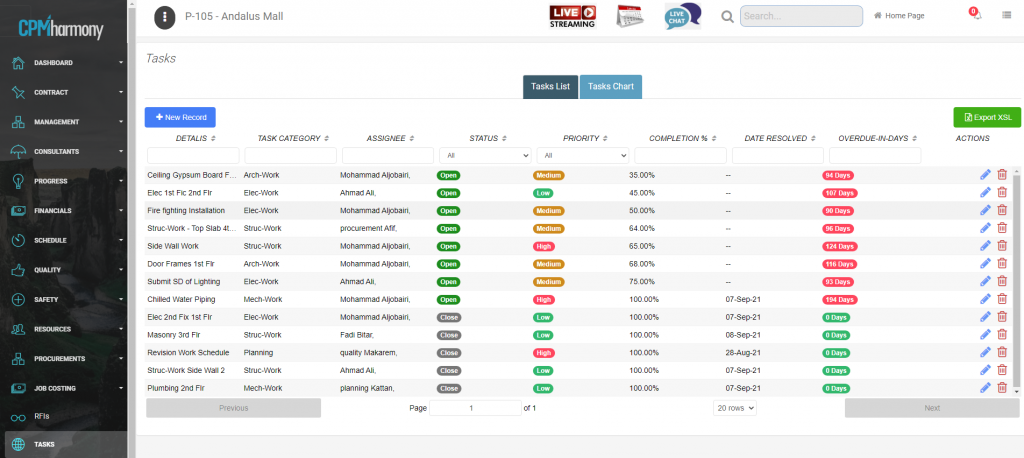
Task management is a key tool for tracking activity completion and avoiding delays in dependent tasks, helping prevent schedule slippage.

Daily reports of overdue tasks are sent to the project manager.


Progress Photos / Videos

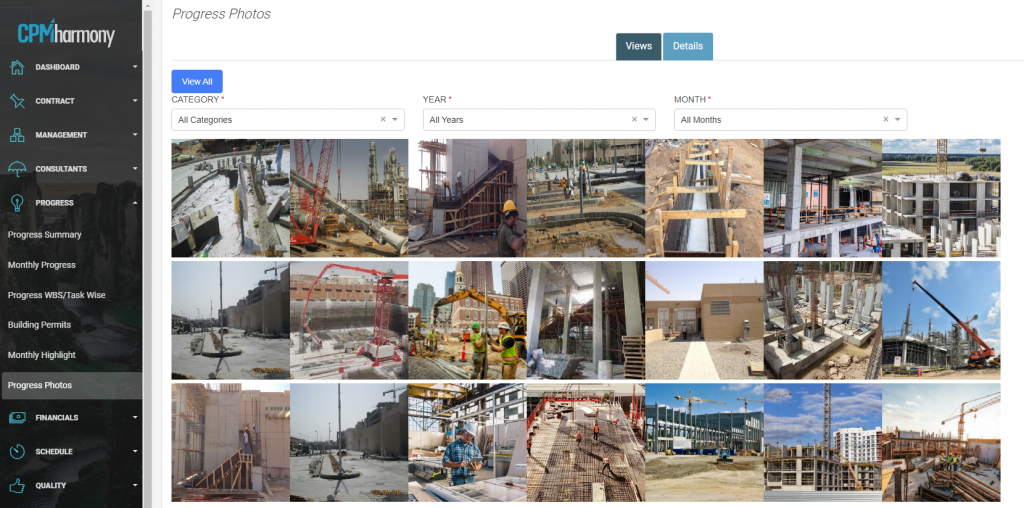
Construction progress photos are captured and uploaded directly into the system, with each image stamped with the date, site, location, and a brief description. Standard, panoramic (360°) photos and videos can all be stored to help track work progress.

The system also connects to live-streaming construction cameras for real-time site visibility.

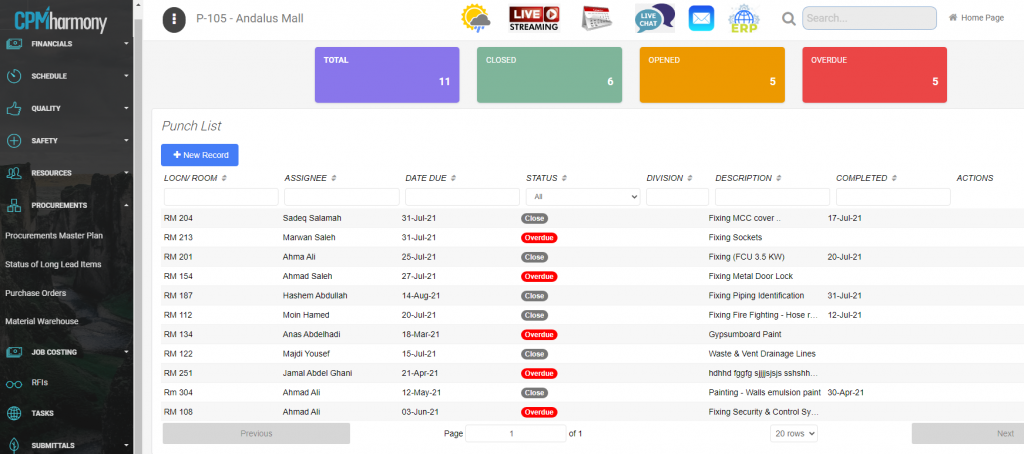
Punch Lists Management

Sharing punch list status boosts productivity and accountability, helping you achieve a smooth project handover on time.

The solution provides tools to document and organize all required corrective actions. It’s simple and easy to record each defect with photos.

Punch list items are categorized by work division, location, floor, room, and assigned personnel. Status reports show completion and delays for every item.


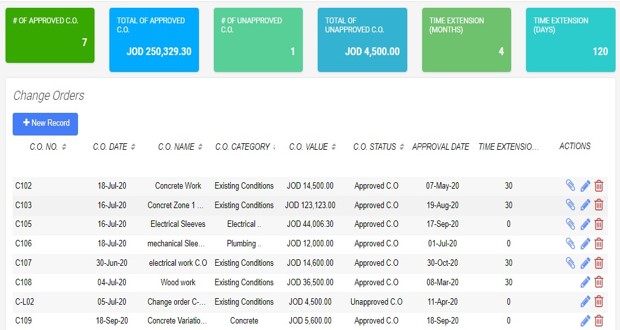
Change Orders Management

Change orders are a normal part of construction projects—and a major source of disputes between contractors and owners.

CPMharmony streamlines the entire change order process, from comparing tender drawings and specifications with BOQ quantities.

All change orders are tracked in the system, so managers can easily see the status of each variation at any time.

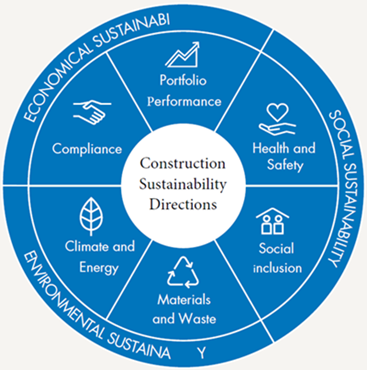
Constructions Sustainability

Green construction is becoming an international standard for creating healthy, efficient, and cost-saving buildings. We help clients plan and track sustainability goals for their projects.

Clients can select a country-specific certification level at the start. Targets and action plans are defined, and as construction progresses, points are accumulated for each goal and compared with the required points for the chosen certification. The system continuously notifies the project team about the status of each sustainability goal.


Properties Management

The solution supports three real estate development models:

  1. Residential compound
  2. Residential tower
  3. Commercial tower

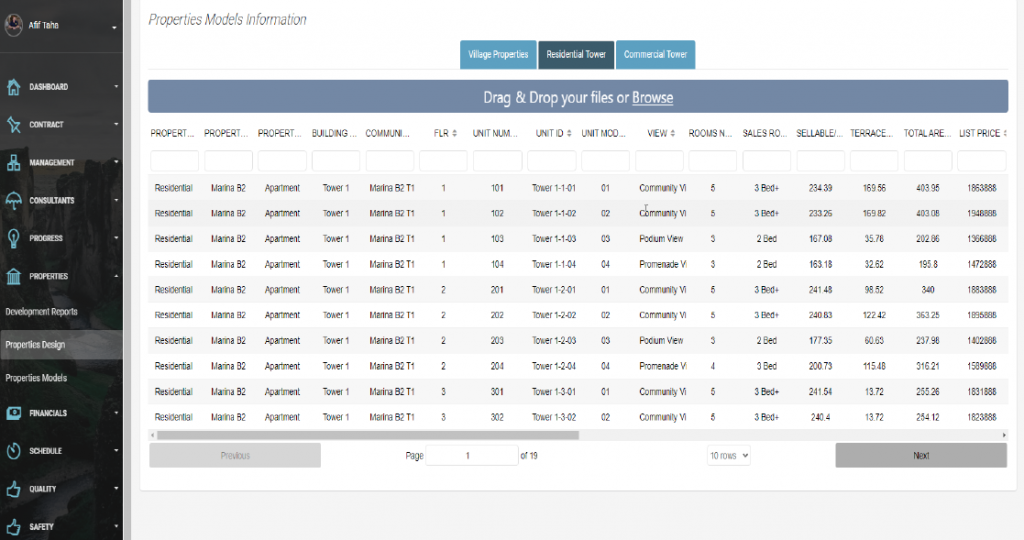
For each model, you can upload detailed unit information, including: unit type, location, design, floor plan, total area, selling price, and availability status (available, rented, booked, sold).


Properties Sales Management

The property sales agent can manage leasing, booking, and sales, including:

  1. Lease Tracking: lease contracts, start/end dates, and key terms
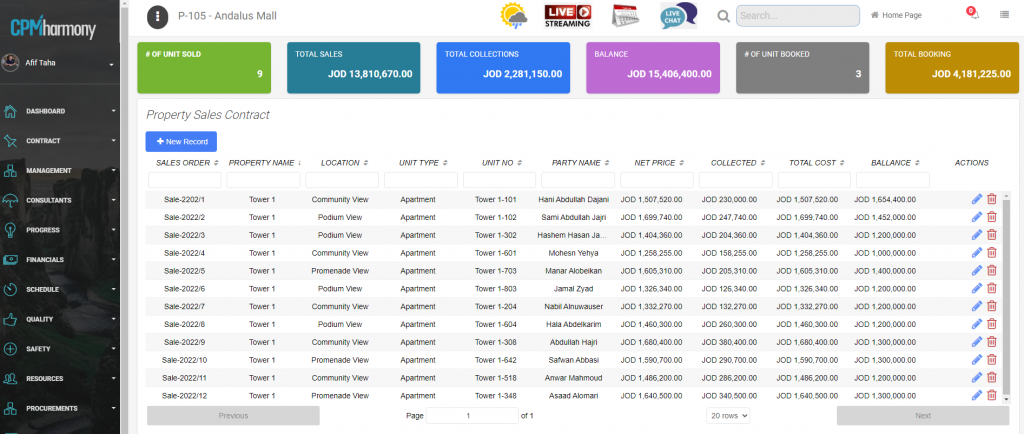
  2. Sales & Booking Tracking: manage the sales process, set payment terms, process initial payments, and print sales contracts.
  3. Payment Tracking:  send email reminders for upcoming installments.
  4. Availability Tracking: monitor current property availability


Properties Management

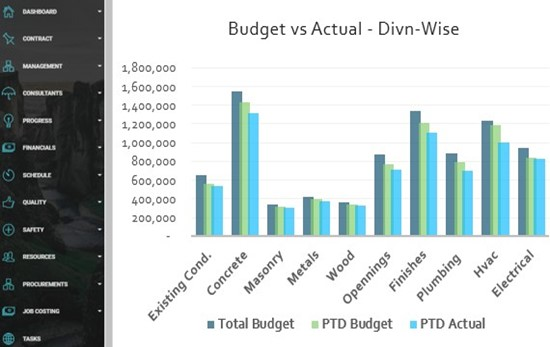
All project financials are seamlessly integrated from the back-end ERP system and displayed in actionable dashboards to support executive decisions.

Key financial documents—contracts, subcontracts, budgets, costs, billings and collections, cash-flow analyses, procurements, project assets, change orders, and claims—are all managed within the solution.


Empower Overall Productivity

Productivity metrics are analyzed and presented to senior managers, including:

  • Revenue per employee
  • Cost impact of issues
  • Change order processing times
  • Cost of material waste and rework
  • Subcontractor progress
  • labor productivity


Real-Time Dashboard

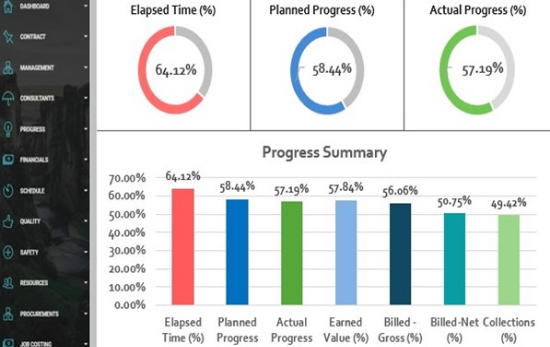
The solution lets you visualize project status, progress, and financials on clear timelines, with timely reports on construction activities and critical alerts for immediate action. You always have complete, real-time visibility and control over your project.


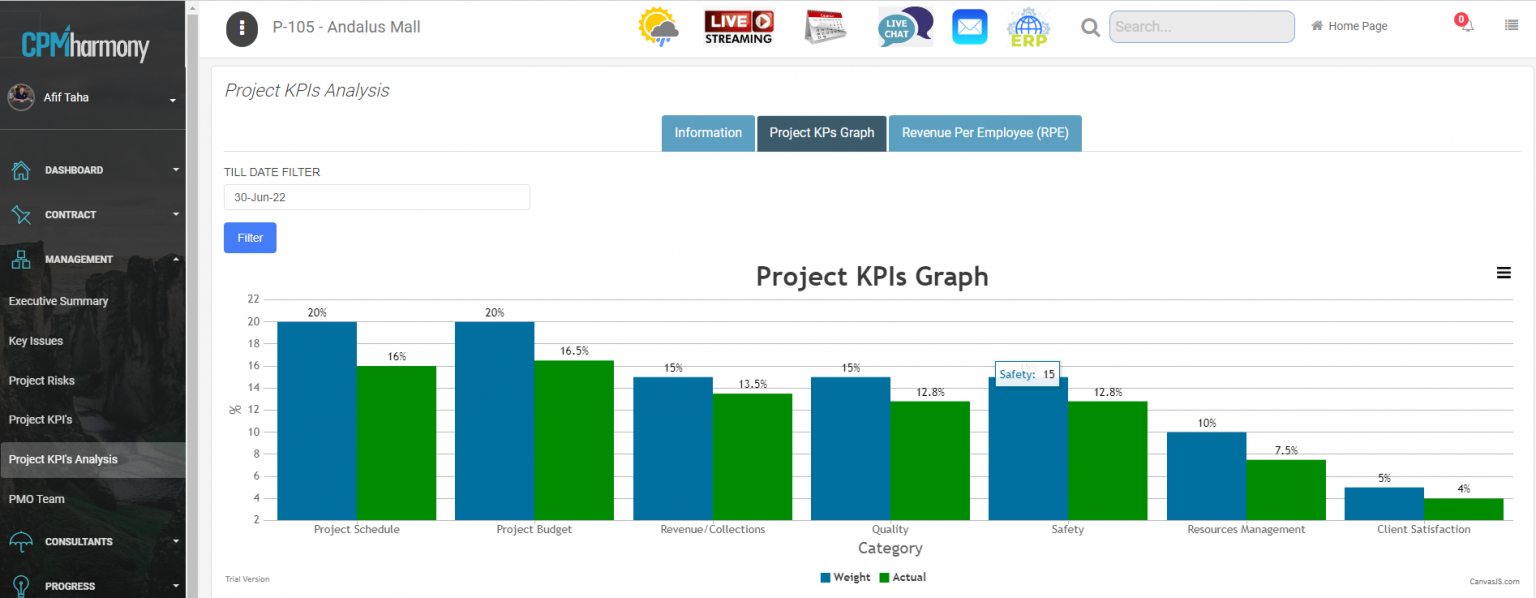
Project KPIs Assessments

Project KPIs—such as schedule, budget, finance, quality, safety, resources, and client satisfaction—are defined as clear objectives and goals. Technical assessments are carried out and reported quarterly, enabling performance comparisons between active projects.


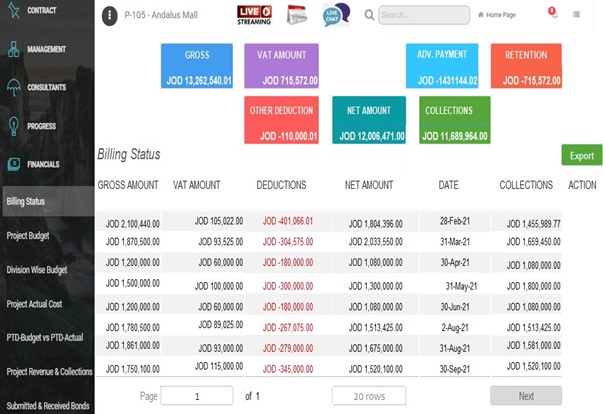
Billing & Collections Management

  1. Invoice Tracking: Instantly see which invoices are issued, submitted, and approved.
  2. Collections Tracking: View all collections, deductions, and retentions in one place.
  3. Accounts Receivable: AR and project cash flow reports run smoothly while you focus on the work.
  4. Revenue per Employee (RPE): Automatically calculated and reported as a key workforce productivity metric.

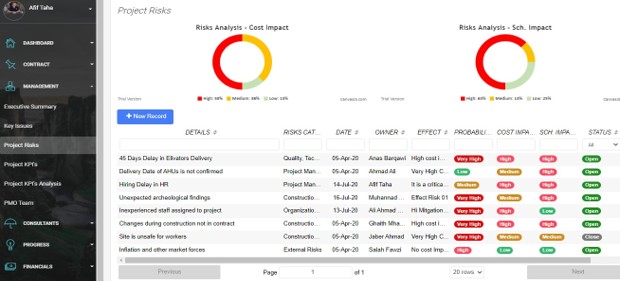
Risk Management
  1. A project risk assessment matrix is created in the system, including each risk’s probability, impact, and planned mitigation.
  2. All risks are analyzed by:
    1. Severity: minimal, significant, major, catastrophic
    2. Likelihood: unlikely, possible, probable, certain
  3. The solution helps define and update all risk details, owners, and planned responses (avoid, transfer, mitigate, accept).
  4. Each risk’s impact on schedule, cost, and performance is evaluated.

Workforce Monitoring
  1. Team collaboration tools with online messaging, email, notifications, alerts, and live chat.
  2. Actionable dashboards showing task status, delays in critical activities, and any schedule or cost impacts.
  3. Real-time tracking of project team timesheets.
  4. Workforce productivity reporting against standard benchmarks.
  5. Monitoring subcontractor resources and progress.


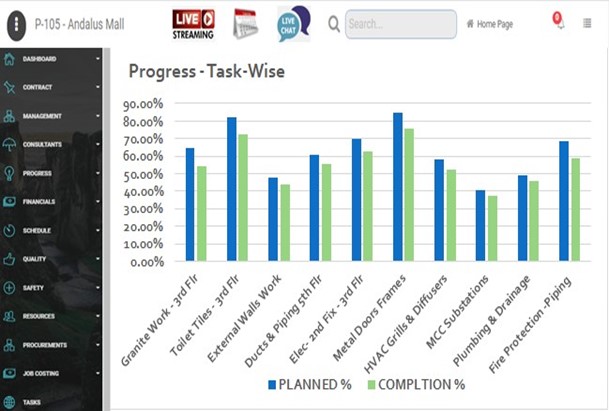
Progress WBS-Wise

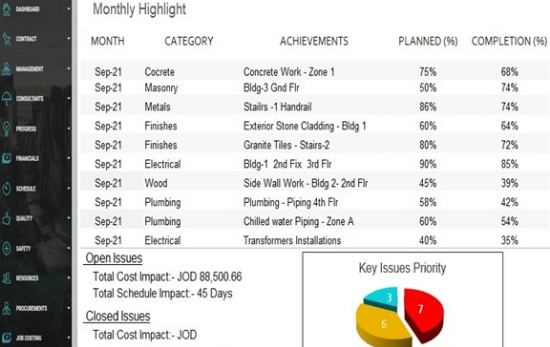
  1. Monthly and project‑to‑date progress charts by WBS are generated.
  2. Monthly and project‑to‑date progress charts by task are generated.
  3. Subcontractor progress is also displayed in the dashboard.
  4. Critical activities are defined, and their progress is continuously reported to managers.